Solution
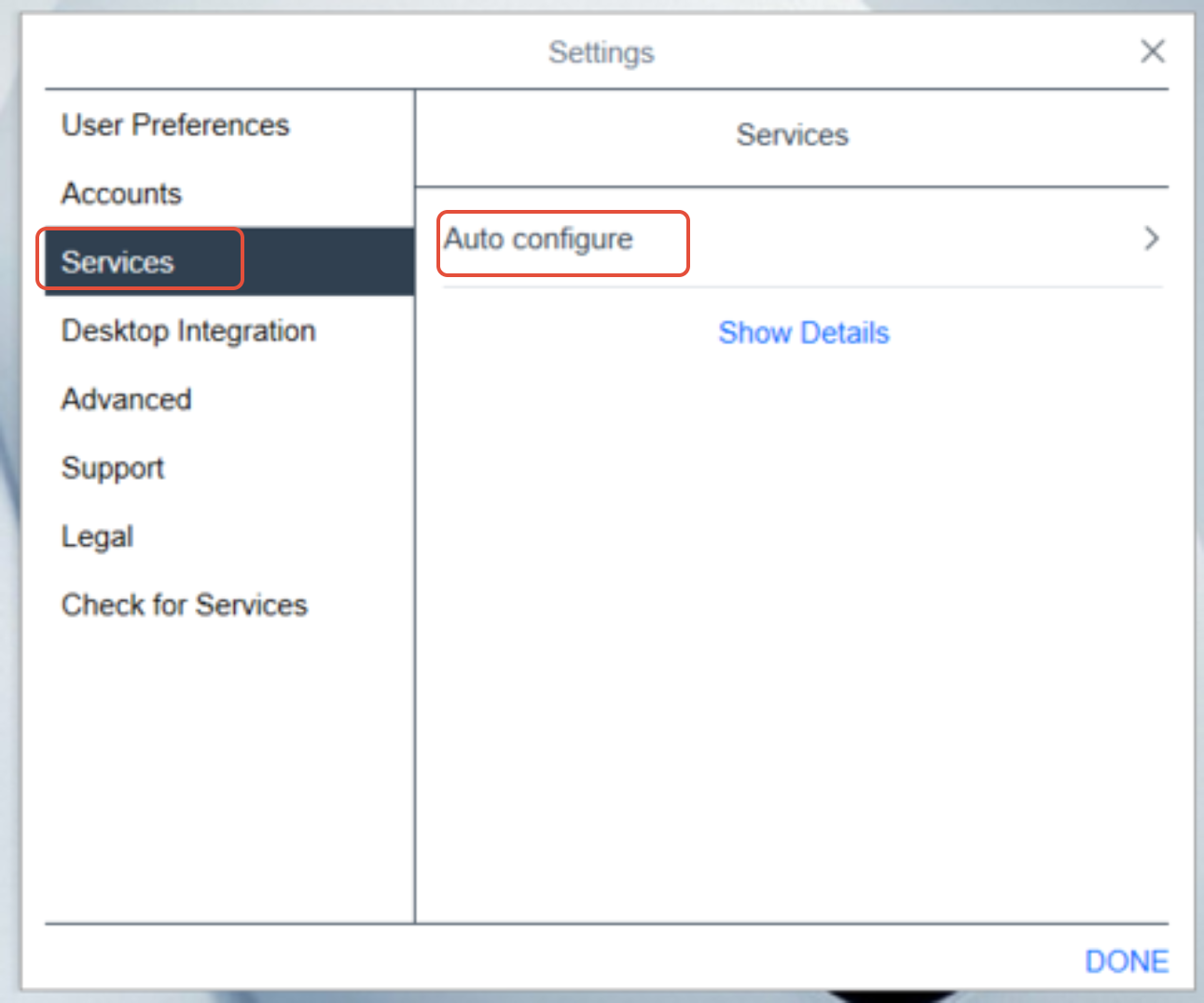
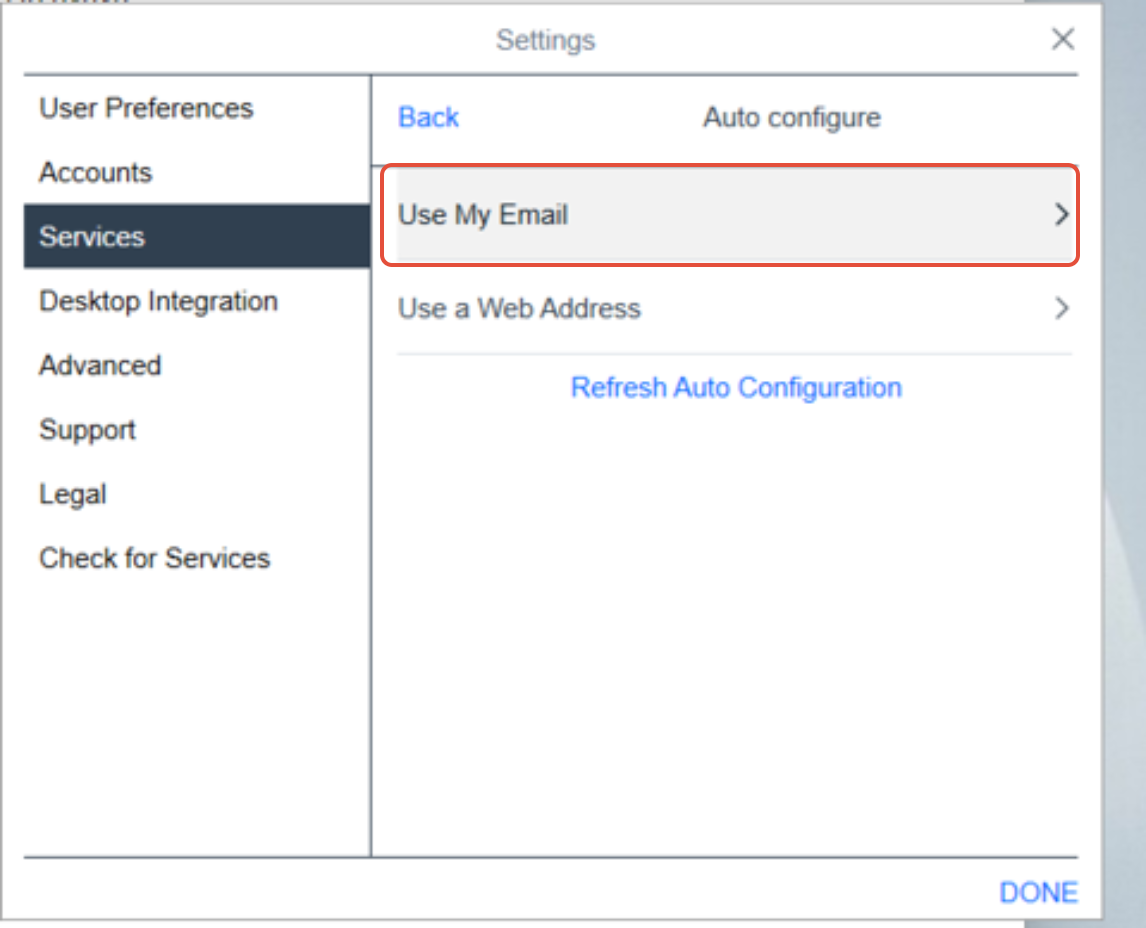
Go to: Settings - Services - Auto configure - Use your email id
once done the Avaya will reset and log in with Avaya's login credentials
--------------------------------------------------------------------------------------------------------------------
Guidelines: HUNT GROUP
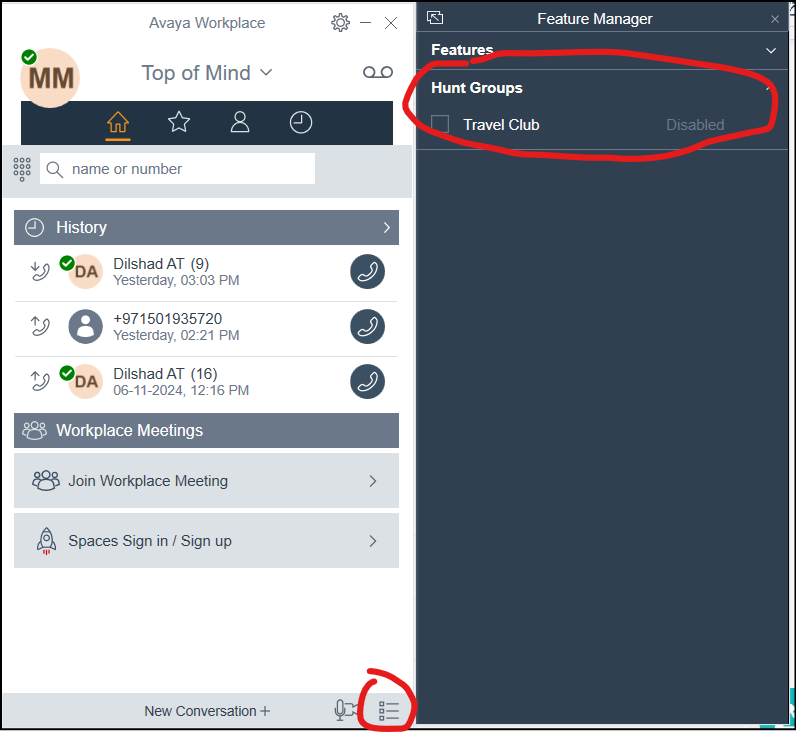
- Always check if Avaya is active and functioning properly when starting your shift.
- When leaving your shift, ensure that the hunt group is disabled to prevent calls from routing to your line.
- Enable the hunt group again when you start your shift to resume call handling.
These practices help maintain efficient call management and prevent misrouting of customer calls